
Remember when YouTube made it possible to share video without emailing massive files? When Google Maps let anyone explore the world without installing GIS software? When Dropbox made "which version is this?" a problem of the past?
That moment just arrived for 3D visualization.
Gaussian splats are turning your drone footage, LiDAR scans, and 360° photos into interactive experiences that load instantly in any browser. No software to install. No file size negotiations. No ten-minute explanations to clients about how to "rotate the viewport."
Just share a link. They click. They're inside your 3D space—on a phone, tablet, or laptop. Exploring. Measuring. Understanding.
While major players like Zillow, DJI, and Matterport have already made the switch, most professionals are still asking: "Wait, what exactly are Gaussian splats? And why should I care?"
Here's everything you need to know.
Table of Contents
Jump to Section
What Are Gaussian Splats?
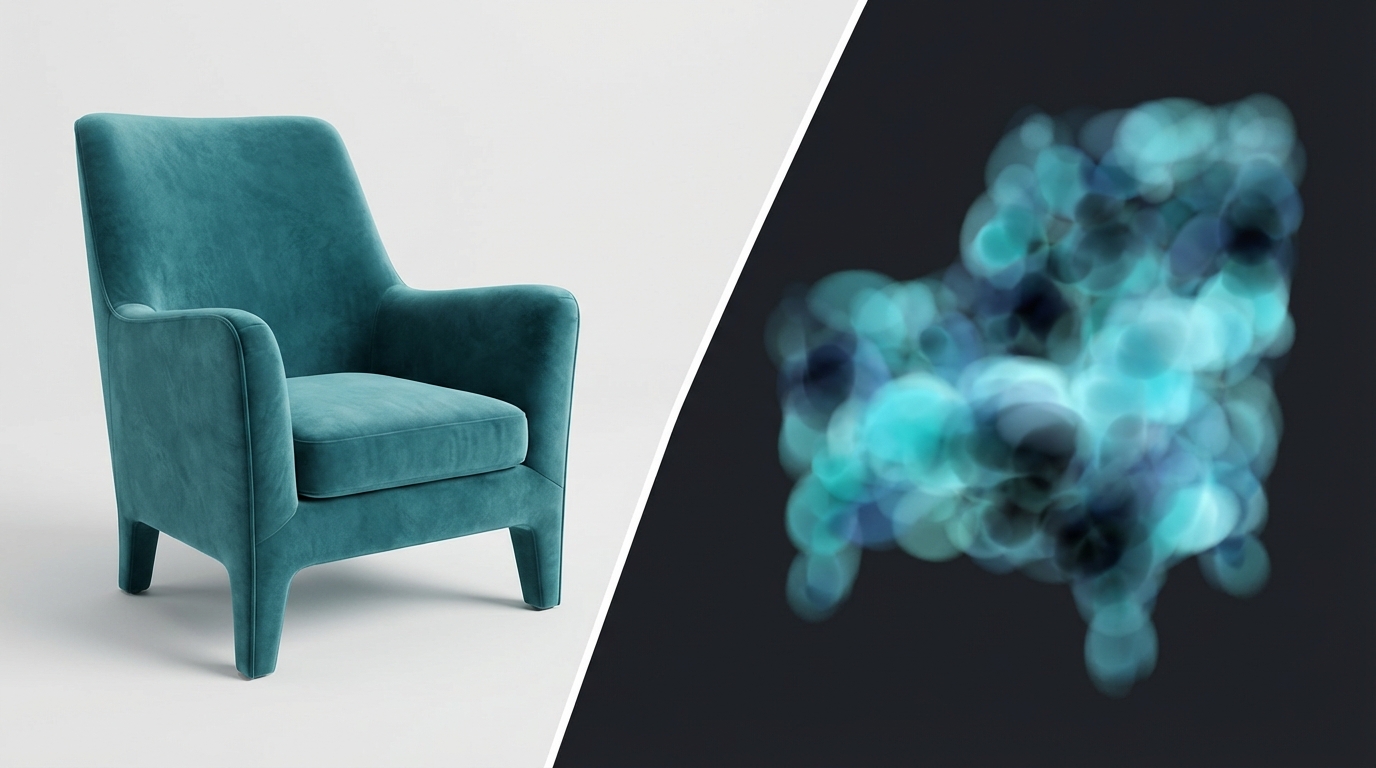
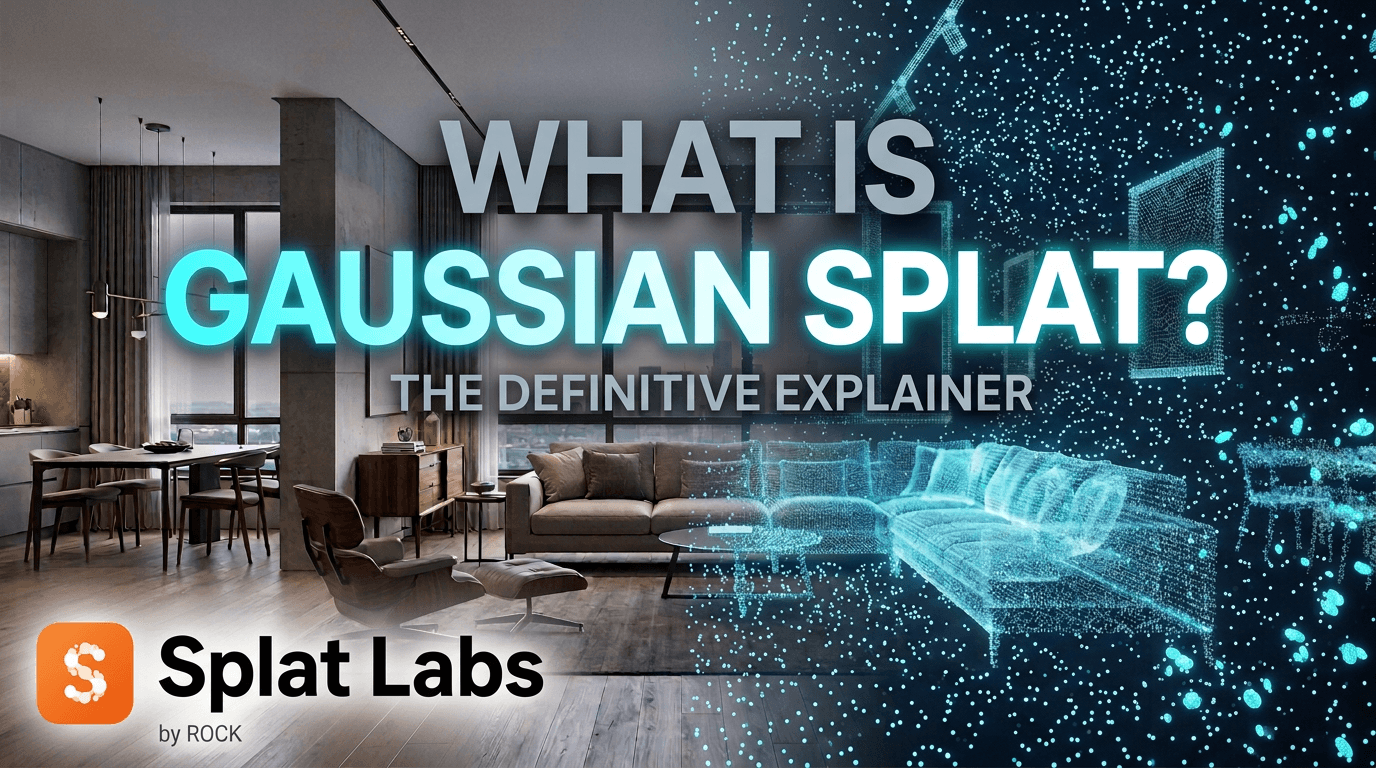
Imagine recreating a room in 3D. Traditional methods either stitch together thousands of triangular polygons (like in video games) or scatter laser-measured points that look like digital dust clouds. Meshes need extensive processing and struggle with reflective surfaces. Point clouds deliver precision but stay sparse—just dots floating in space, never quite connecting.
Gaussian splatting takes a completely different approach. Instead of polygons or point dots, it represents your scene as a collection of 3D ellipsoids—think of them as soft, glowing orbs that blend together seamlessly. Each "splat" has properties like position, color, size, rotation, and opacity.
When these splats are projected onto your screen from any viewing angle, they create highly realistic visualizations that you can explore in real-time. Unlike point clouds where you see individual dots, or polygon meshes that can look artificial, Gaussian splats produce smooth, photorealistic results.
Why does it look so good? Traditional methods can struggle with reflective surfaces, texture seams, or areas with poor photo overlap. Gaussian splatting "blends through" these challenging spots, creating smooth, continuous surfaces even when the underlying data is incomplete. This visual forgiveness—combined with how it handles light and color transitions—is why Gaussian splat demos often look so cinematic and polished.
Quick Definition: Gaussian splatting uses millions of overlapping semi-transparent ellipsoids optimized for visual realism and real-time rendering at 90+ FPS—enabling instant browser-based 3D exploration without downloads or plugins.
The technology emerged in 2023 and is quickly becoming "the JPEG of 3D"—a standardized way to represent three-dimensional space that anyone can view without specialized software.
Why Professionals Are Switching:
- Real-time rendering at 90+ frames per second (smooth as watching video)
- Zero software required — share a link, clients view in any browser
- Mobile-friendly — works perfectly on smartphones and tablets
- Photorealistic quality — captures complex lighting, reflections, and materials
- Fast processing — minutes to hours vs. days for traditional methods
- Universal compatibility — works with drones, 360° cameras, LiDAR, smartphones
File Sizes and Performance
One common question: "How big are these files?" Here's what to expect in real-world scenarios:
Typical file sizes (compressed with SPZ format):
- Small room (500 sq ft): 25-50MB
- Standard office (2,000 sq ft): 80-150MB
- Large property (5,000 sq ft): 150-300MB
- Construction site (50,000 sq ft): 300-600MB
- City block scale: 1-3GB
The key advantage: Gaussian splat files stream progressively. Viewers don't download the entire file—they stream only what's visible from their current viewpoint, similar to how YouTube streams video. This means a 300MB Gaussian splat starts displaying in 2-3 seconds, even on mobile connections.
Point Clouds vs. Photogrammetry vs. Gaussian Splats
Not sure which 3D reconstruction method fits your needs? Here's a clear comparison of the three main approaches:
Quick Comparison Summary
- Point clouds = Precision measurements and surveying
- Photogrammetry = Detailed static models and documentation
- Gaussian splats = Real-time interactive experiences with photorealistic quality
Point Clouds: Precision Through Discrete Points
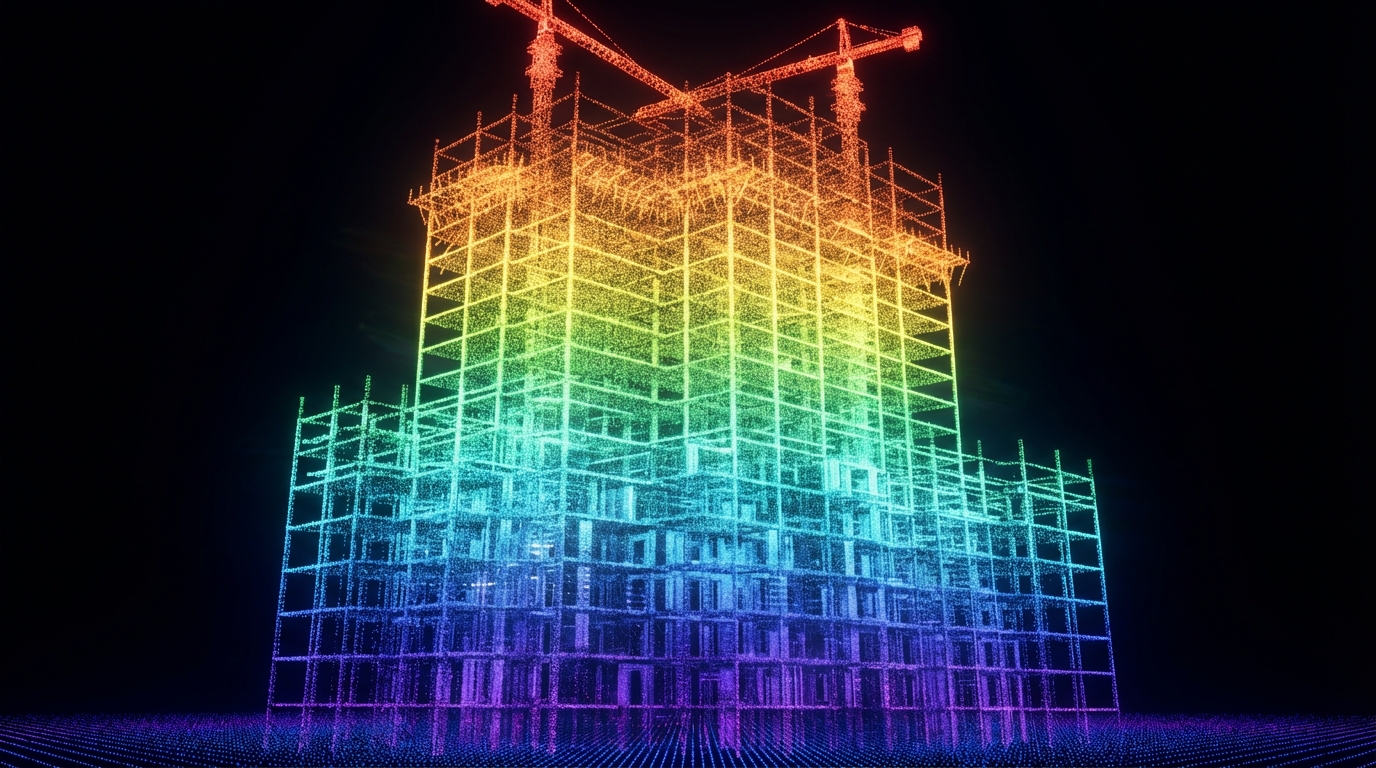
Point clouds are collections of millions of individual data points captured by LiDAR scanners, each representing a precise XYZ coordinate in 3D space with color information.
Advantages
- Millimeter-level precision perfect for engineering and surveying work
- Fast capture with LiDAR—scans through trees and vegetation
- Captures true colors from the real world
Disadvantages
- Appears as scattered dots rather than solid surfaces
- File sizes can reach gigabytes, making sharing difficult
- Needs extra software and steps to convert into usable models
Best for: Surveying, topographic mapping, construction verification, infrastructure inspection, forest management
Photogrammetry: Building 3D from Photographs
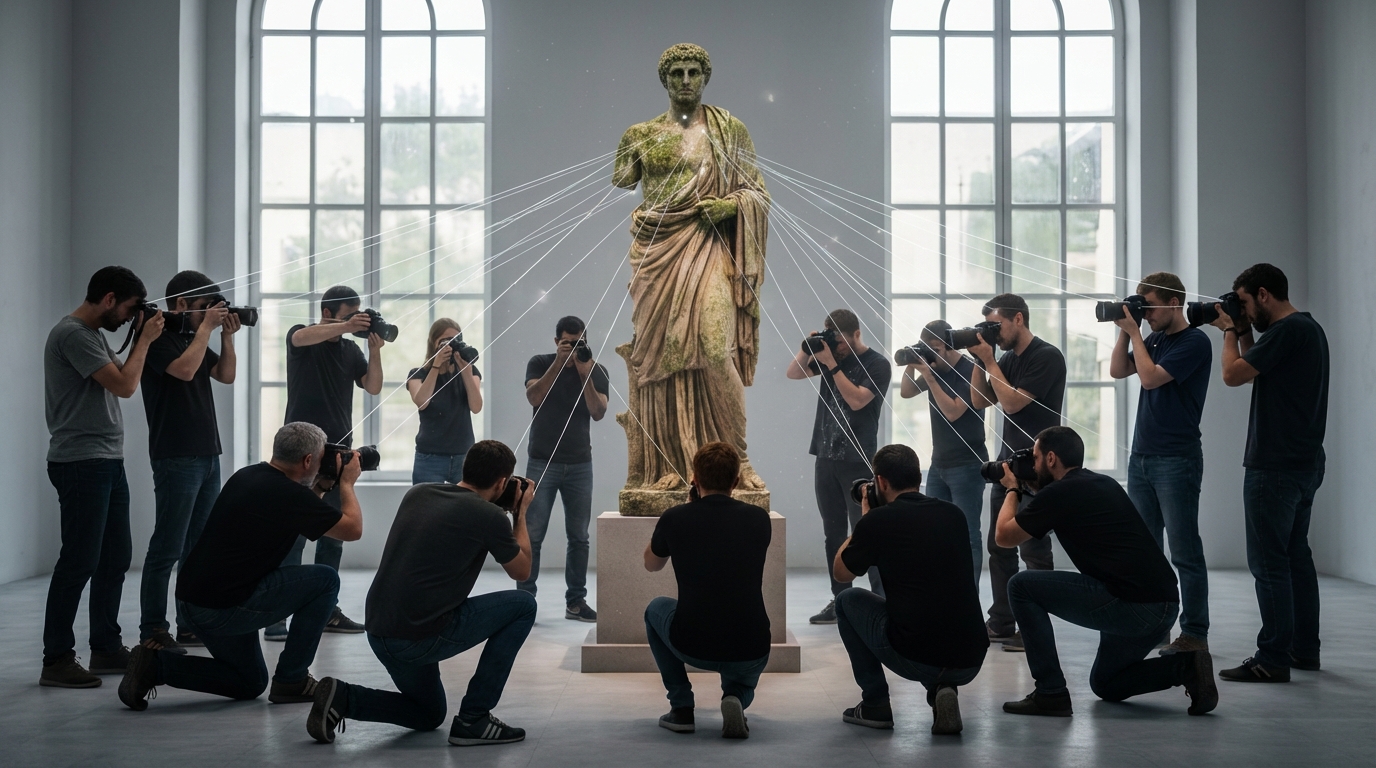
Photogrammetry reconstructs 3D geometry by analyzing overlapping photographs, triangulating points to build textured mesh models with real-world scale and accuracy.
Advantages
- Creates detailed 3D models with photorealistic textures
- Works with standard cameras and drones—lower equipment costs
- Produces compact files that are easy to share and view
Disadvantages
- Needs many overlapping photos taken in consistent lighting
- Fails on glass, mirrors, and shiny metal surfaces
- Processing can take hours or days for large projects
Best for: Architecture documentation, real estate marketing, cultural heritage preservation, product visualization, engineering design
Gaussian Splatting: Real-Time Interactive Visualization
Gaussian splatting represents scenes as millions of semi-transparent ellipsoids optimized for visual realism, rendering instantly in browsers at 90+ frames per second.

Advantages
- Silky-smooth navigation at 90+ frames per second
- Works instantly in any web browser—no apps to download
- Processes faster than traditional methods—minutes to hours
Disadvantages
- Not accurate enough for blueprints or engineering measurements
- Files are larger than traditional 3D models
- Newer technology with fewer established workflows
Best for: Interactive virtual tours, real estate presentations, construction progress visualization, immersive client deliverables, architectural walkthroughs, marketing experiences
When to Stick with Point Clouds or Photogrammetry
Gaussian splats excel at visualization and client presentations, but they aren't always the right choice for every project. Here's when traditional methods still make more sense:
Choose Point Clouds When:
- Survey-grade accuracy required (±1-5mm precision)
- Creating BIM models for Revit/AutoCAD
- Conducting volumetric analysis or working with linear infrastructure
Choose Photogrammetry When:
- You need lightweight textured meshes for game engines or Unity/Unreal workflows
- Creating assets for architectural renderings (3ds Max, Blender, V-Ray)
- Exporting to CAD/BIM workflows requiring dimensional accuracy
Choose Gaussian Splats When:
- Client presentations are the priority—immersive visualization beats technical accuracy
- Browser-based accessibility is essential—zero software installation, works on any device
- Mobile viewing and real-time interaction are required
For many professionals, the answer isn't choosing one method—it's using the right tool for each deliverable. Capture once with LiDAR or photogrammetry, then export to multiple formats: point clouds for engineering, meshes for design, and Gaussian splats for client visualization.
Why Gaussian Splats Are Taking Over in 2026
The rapid adoption isn't hype—it's backed by real industry momentum and major technological milestones:
Major Industry Players Are All In
Companies actively adopting Gaussian splatting:
- Real Estate: Zillow, Matterport
- Drone Mapping: DJI, Pix4D
- AEC & Surveying: Bentley Systems, Esri
- Entertainment & Automotive: Hollywood studios, Tesla (autonomous vehicles)
Official Standardization
In August 2025, the Khronos Group and Open Geospatial Consortium announced that 3D Gaussian splats would be integrated into the glTF ecosystem with the SPZ compression format.
This marks the official shift from experimental demos to production-ready, interoperable tools with industry-wide standards—similar to how JPEG became the universal image format.
Accessibility Revolution
Unlike complex neural network methods (NeRFs) that require specialized computing infrastructure, Gaussian splats render on standard GPUs and work instantly in web browsers without plugins.
This means clients, stakeholders, and team members can explore 3D captures immediately—no software installation, no technical expertise, no barriers.
Why Use Splat Labs for Gaussian Splatting?
While you can create and view Gaussian splats with various tools, Splat Labs is purpose-built for professional AEC and real estate workflows with features that generic viewers lack.
Professional Measurement Tools
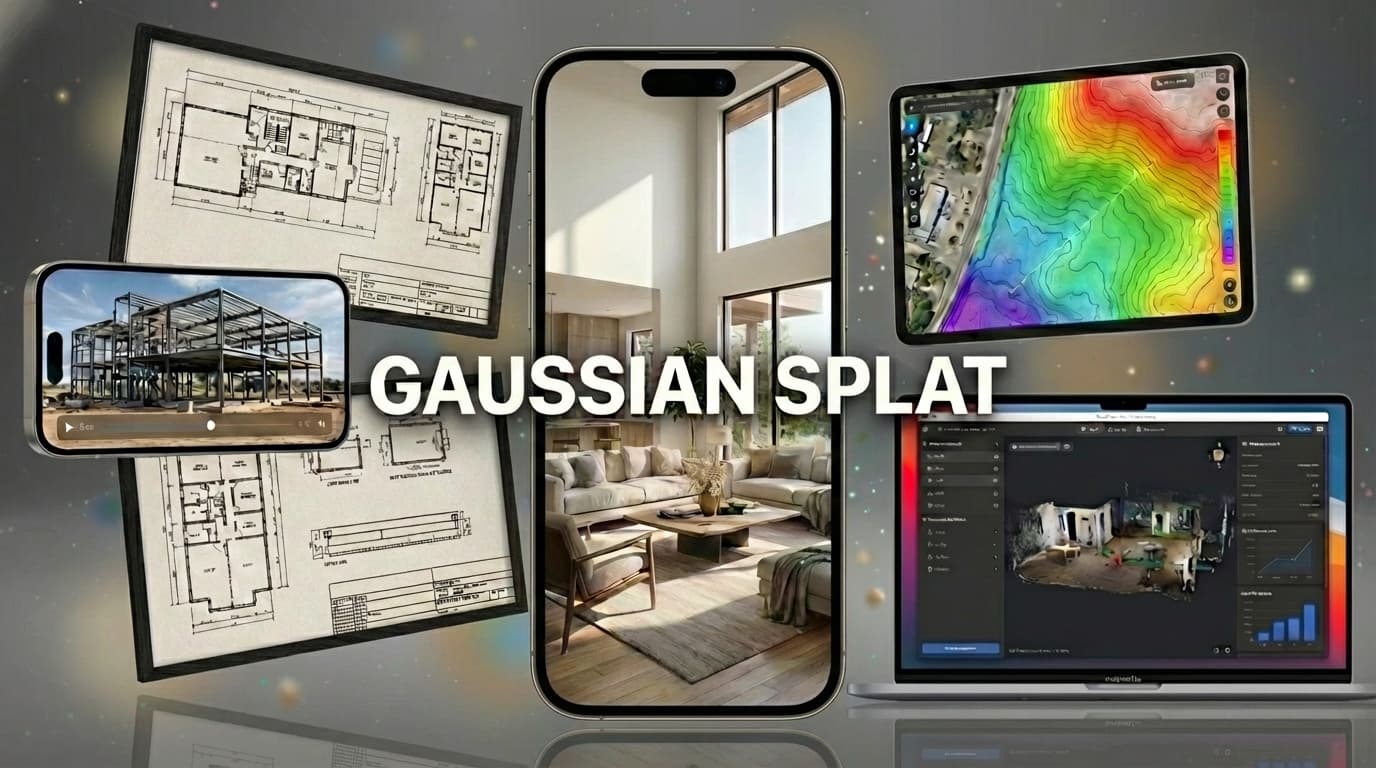
Measure distances, areas, and volumes directly in your 3D environment.
4D Timeline Visualization
Track project evolution with 4D timelines that automatically align multiple temporal scans. Perfect for weekly progress documentation.
AI-Generated Floor Plans
Automatically generates 2D floor plans providing instant spatial context. Critical for real estate presentations and construction documentation.
Collaborative Markup
Pin notes, voice memos, and documents directly to 3D coordinates. Teams collaborate asynchronously with persistent markups.
Enterprise-Grade Sharing
Share via simple links with granular access controls. Works instantly on any device—no app installation required.
Optimized for Your Industry
Workflows tailored to AEC and real estate professionals. From construction progress to virtual tours to survey documentation.
Ready to see the difference?
Start Your Free Trial →Real-World Use Cases
Here are two examples of how professionals are using Gaussian splats across different industries:
Architecture, Engineering & Construction (AEC)
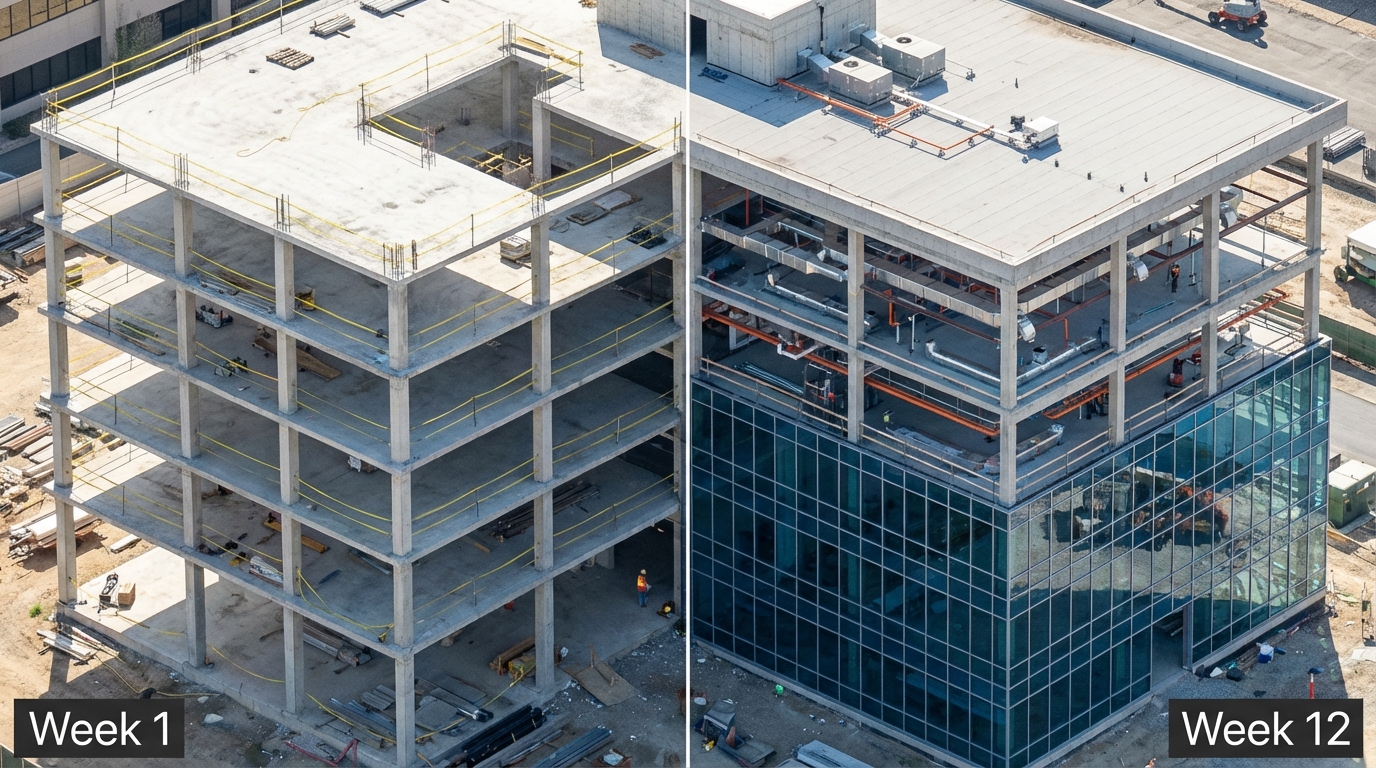
Challenge: Remote stakeholders struggle to understand construction progress from photos alone, leading to expensive site visits and time-consuming status reports.
Solution: Gaussian splats transform weekly drone flights into interactive progress documentation. Teams track progress with 4D timelines overlaying multiple temporal scans. Interactive measurement tools let stakeholders verify dimensions remotely, while AI-generated floor plans provide instant spatial context. Markup and annotation capabilities enable remote collaboration with notes and documents pinned to 3D coordinates.
Real-World Numbers:
- Typical office construction scan (50,000 sq ft): 15-minute drone flight, 45-minute processing, 80MB compressed file
- Weekly scans aligned automatically into 4D timeline
- Measurements accurate to ±5cm—sufficient for progress verification
Results:
- 40-60% reduction in site visits
- Complete as-built documentation for handoff
Real Estate
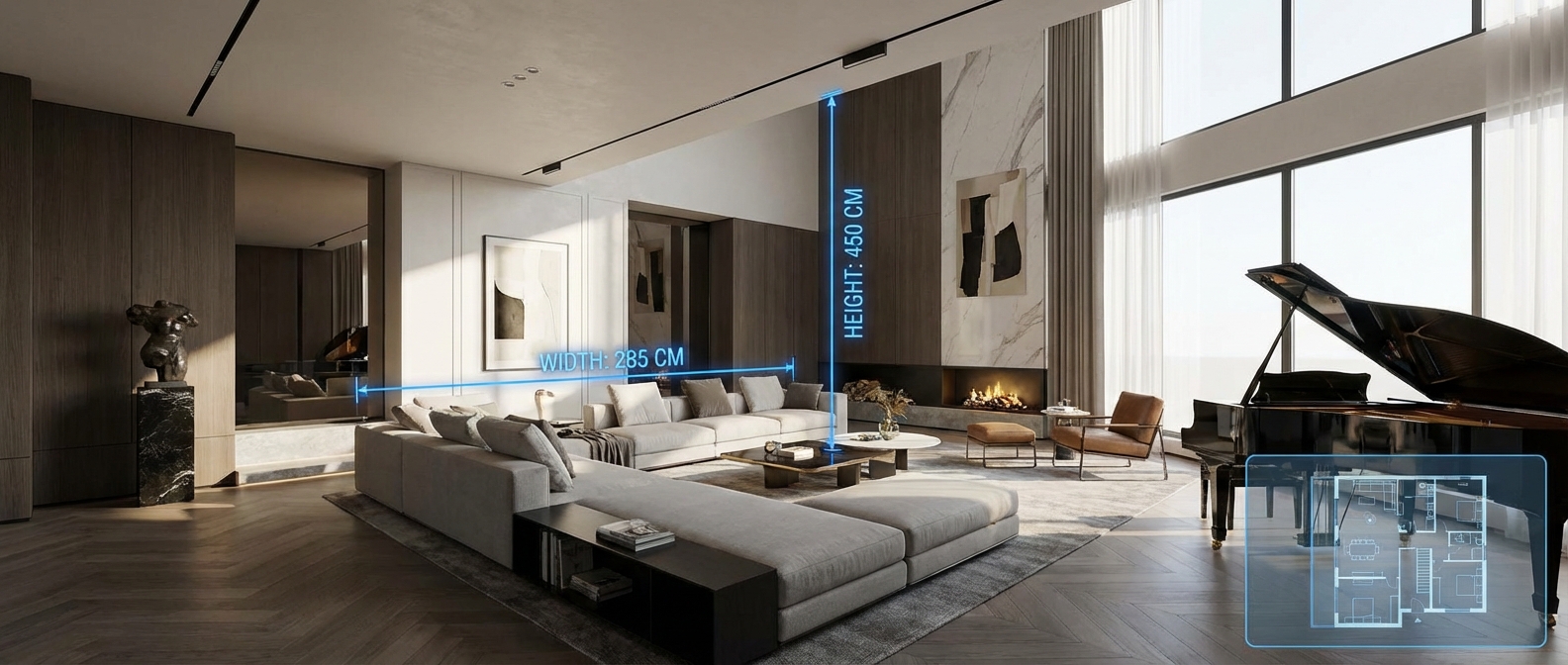
Challenge: Static photos don't convey spatial relationships, and traditional 3D tours require apps that create friction, leading to abandoned viewings.
Solution: Gaussian splats create immersive property walkthroughs that work instantly in any browser. Platforms combine interior scans with exterior drone captures using seamless portals. Auto-generated floor plans show viewer location, while interactive measurement tools let buyers verify room dimensions before scheduling showings.
Real-World Numbers:
- Typical 2,500 sq ft home: 360° camera capture (20 minutes), processing (60 minutes), 95MB streamed file
- Works on any smartphone browser, no app required
- Average buyer engagement: 4-7 minutes vs. 45 seconds for photo galleries
Results:
- 3x increase in buyer engagement time compared to static photos
- Faster sales cycles for premium properties ($1M+)
Getting Started with Gaussian Splatting
Getting started is straightforward, even if you're new to 3D reconstruction:
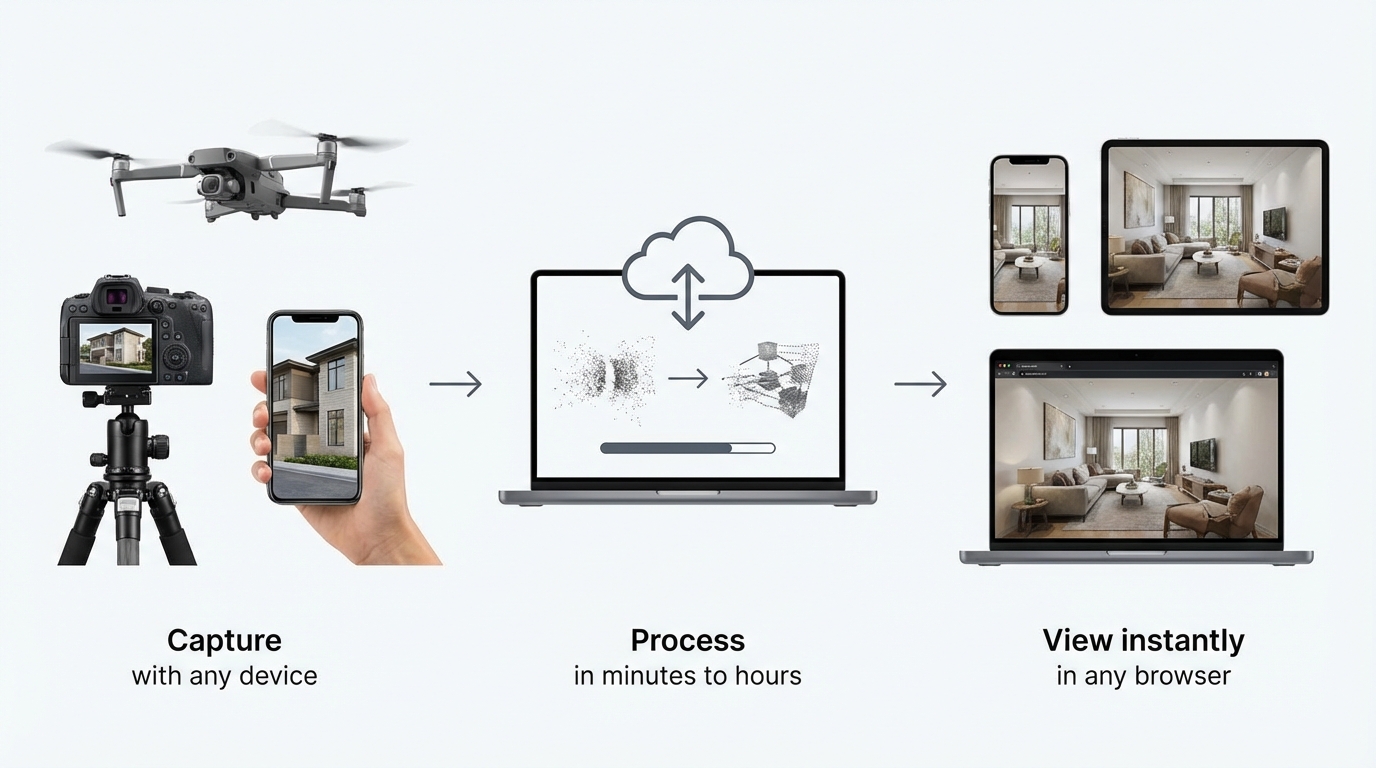
1. Capture Your Scene
Use equipment you likely already own:
- Drones: DJI Mavic, Phantom, Skydio
- 360° cameras: Ricoh Theta, Insta360
- LiDAR scanners: Leica, Faro, iPhone Pro
- Smartphones: Any recent model with good camera quality
2. Process Your Data
Convert your captures into Gaussian splat format using processing software. Processing typically takes 30 minutes to 2 hours depending on scene complexity.
3. Share and View
Share a link—viewers explore in any browser with no software installation required. Files stream progressively, displaying in seconds even on mobile connections.
Note: While you can process and host Gaussian splats yourself using various tools, platforms like Splat Labs provide professional features designed specifically for AEC and real estate workflows—including measurement tools, 4D timelines, AI-generated floor plans, and collaborative markup—streamlining the entire process from capture to client delivery.
Frequently Asked Questions
01
Do I need special equipment to create Gaussian splats?
No. Most modern capture tools can export to Gaussian splat formats—drones (DJI, Skydio), 360° cameras (Ricoh, Insta360), LiDAR-equipped smartphones (iPhone Pro), or dedicated scanning rigs. Many photogrammetry software packages (RealityCapture, Metashape) now support Gaussian splat output.
02
How large are Gaussian splat files?
Raw Gaussian splat files can be substantial, but with modern compression formats like SPZ, files are up to 90% smaller than originals. Typical sizes: Small room (500 sq ft): 25-50MB, Standard office (2,000 sq ft): 80-150MB, Large property (5,000 sq ft): 150-300MB. Streaming optimization means viewers never download the full file—they stream only what's visible.
03
Can clients measure distances in Gaussian splats?
Yes. Many platforms include measurement tools so you can measure distances, areas, and add dimensional annotations directly in the 3D environment.
04
Do Gaussian splats work on mobile devices?
Absolutely. Modern Gaussian splat platforms are optimized for mobile-first streaming. Clients can explore scans on any smartphone or tablet with smooth performance—no app installation required, just open the link in any browser.
05
How long does processing take?
Much faster than NeRFs or traditional photogrammetry. Depending on scene complexity and source data quality, creating a Gaussian splat typically takes 30 minutes to 2 hours. Small room (1,000 sq ft): 30-45 minutes, Large property (5,000 sq ft): 60-90 minutes, Construction site (50,000 sq ft): 90-150 minutes.
06
What is Splat Labs?
Splat Labs is the world's most advanced cloud platform for hosting, sharing, and collaborating on Gaussian Splat models. We provide professional-grade tools for measurement, annotation, virtual tours, and AI-powered features.
07
Who is Splat Labs for?
Splat Labs serves professionals in: Real Estate — Virtual property tours, Construction — Progress documentation, Surveying — 3D data delivery, Architecture — As-built visualization, VFX/Film — Location scouting.
08
Is Splat Labs part of ROCK Robotic?
Yes. Splat Labs was founded in 2025 by ROCK Robotic, a leader in LiDAR and mapping technology. We combine hardware expertise with cutting-edge cloud software.
Conclusion
Gaussian splatting represents a fundamental shift in how we capture, share, and experience three-dimensional space. The technology is moving from experimental demos to production-ready tools with industry-wide standards.

The shift is happening now. Point clouds excel at precision measurements and surveying. Photogrammetry creates detailed static models and documentation. Gaussian splats enable real-time interactive experiences that make 3D visualization accessible to everyone.
Major players from Zillow to DJI have already adopted Gaussian splatting. The question isn't whether it will become the industry standard—it's how quickly professionals will leverage this technology to improve their workflows and deliver better value to clients.
Related Resources
Continue learning about 3D visualization workflows:
- Best Practices for 3D Reality Capture — Optimal workflows for capturing high-quality scans across different environments
- Virtual Tours for Real Estate — Techniques for creating effective property presentations
- Construction Progress Tracking with 4D Timelines — Time-based visualization for AEC projects
Ready to explore Gaussian splatting with professional tools? Learn more about Splat Labs features and capabilities.
Have questions about implementing Gaussian splats in your workflow? Contact our team for guidance.