

3D scans are incredible. Navigating them shouldn't be a guessing game.
You've captured a stunning 3D environment—but without a bird's-eye layout, it's hard to orient yourself, plan spaces, or share a simple overview with clients. Here's how we fix that.
Lost in the scan
Immersive 3D is powerful, but without a top-down reference you can lose your bearings in complex or large environments.
No layout to share
Clients and stakeholders want a clean floor plan—not instructions on how to navigate a 3D viewer.
Manual drafting is slow
Hiring a draftsperson or tracing layouts by hand takes days. Your scan already has all the data—it just needs to be extracted.
One-Click AI Floor Plan Generation
Click the Floor Plan tool and watch it happen. Our AI analyzes millions of Gaussian data points from your 3D scan, identifies walls, doorways, and structural boundaries, and renders a clean top-down 2D layout—instantly.
No manual drafting. No external software. The architectural footprint is already in your scan—Splat Labs just extracts it.
Clean It Up with AI Prompts
Real spaces have clutter. Use our built-in AI editor to digitally strip away furniture, inventory, and foot-traffic ghosting using simple text prompts—revealing the clean architectural shell underneath.
- Remove furniture, shelving, and temporary fixtures
- Clean up ghosting from busy environments
- Stylize with different visual themes
- Refine specific areas before downloading
A Style for Every Workflow
Pick the output that matches your deliverable. Whether you need a clean architectural shell for permit drawings or a color-coded stormwater map for civil engineering, the AI generates it from the same scan.
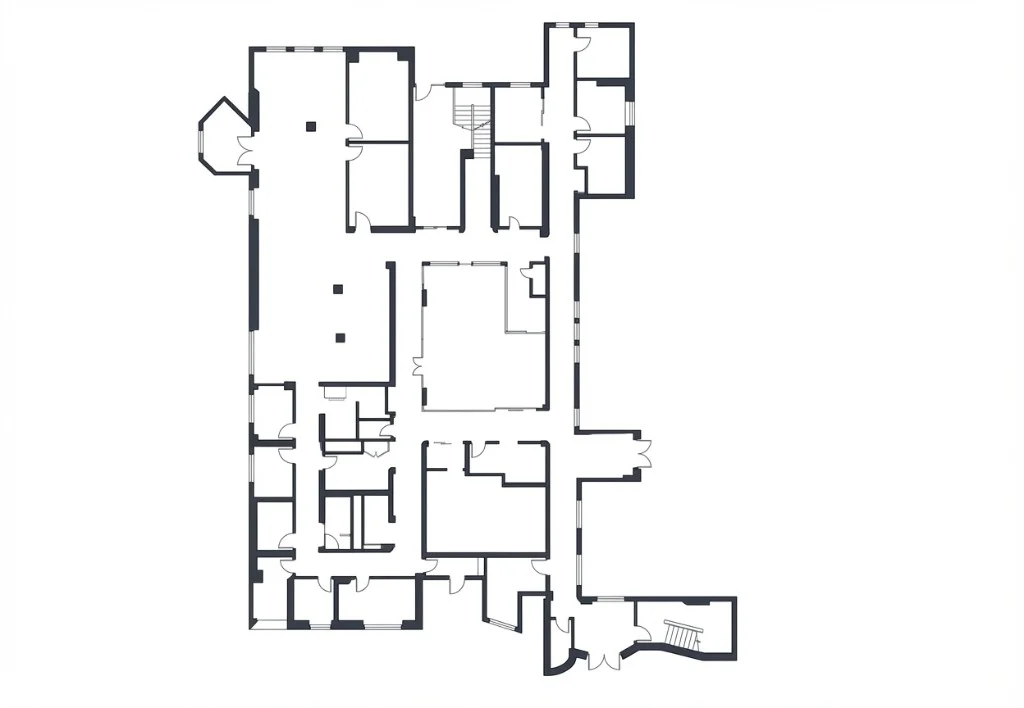
Architectural Layout
Walls, doors, and windows only — no furniture. The go-to for architects, permit submissions, and as-built documentation.
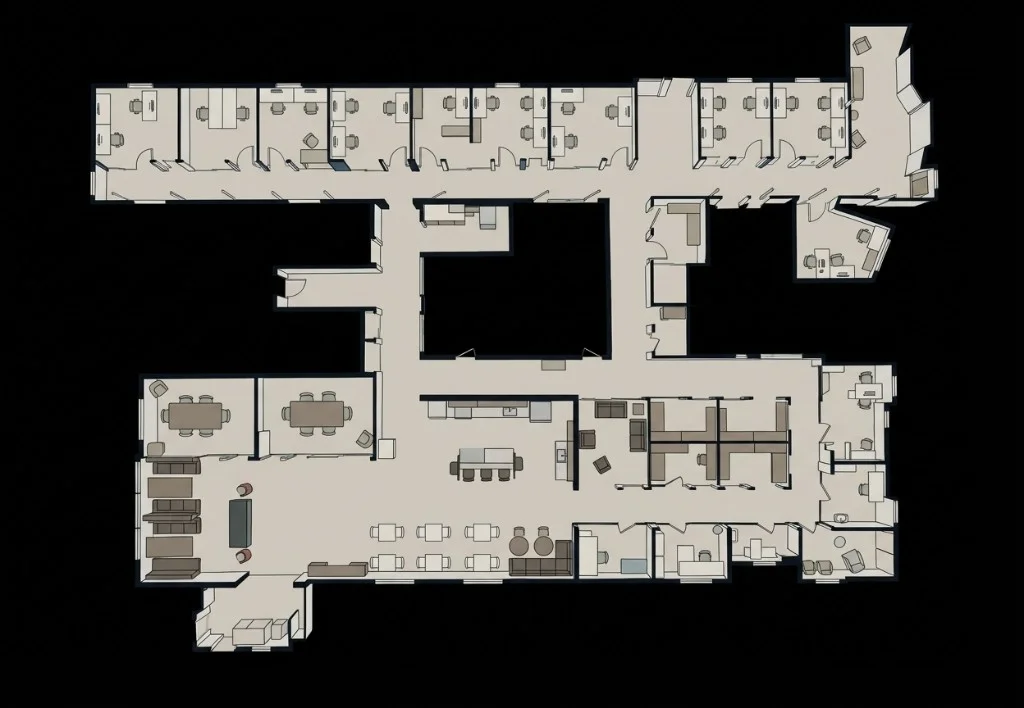
Furnished Floor Plan
All furniture preserved as clean 2D icons. Perfect for real estate listings, MLS photos, and property marketing.
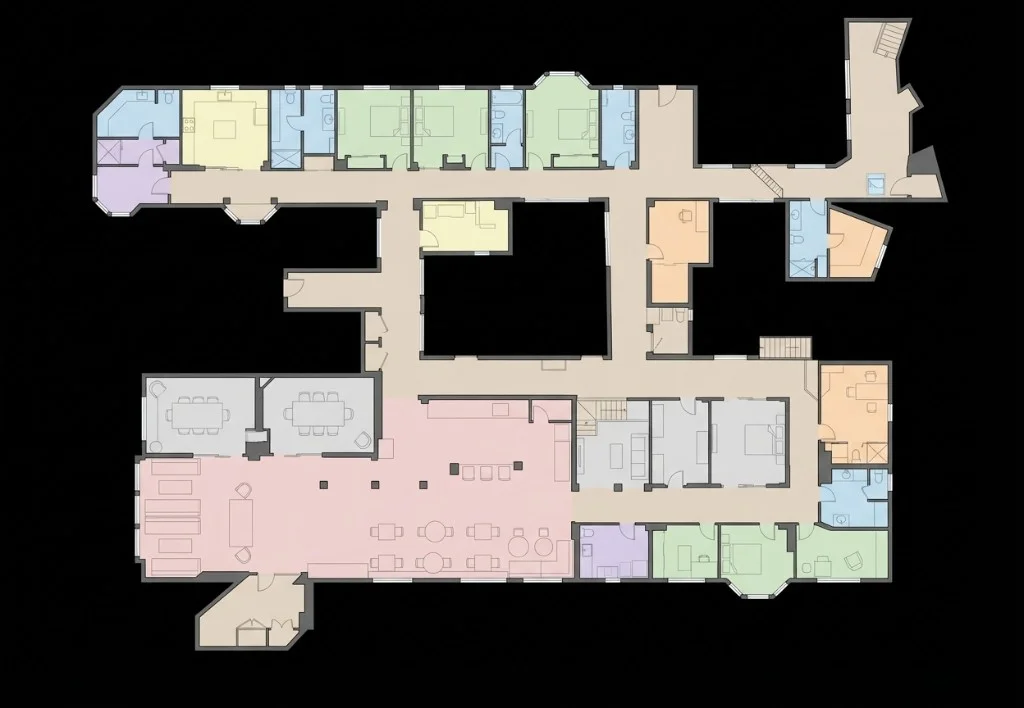
Space Planning
Rooms color-coded by function — kitchen, bath, office, and more. Designed for interior designers, tenant fit-outs, and office planners.
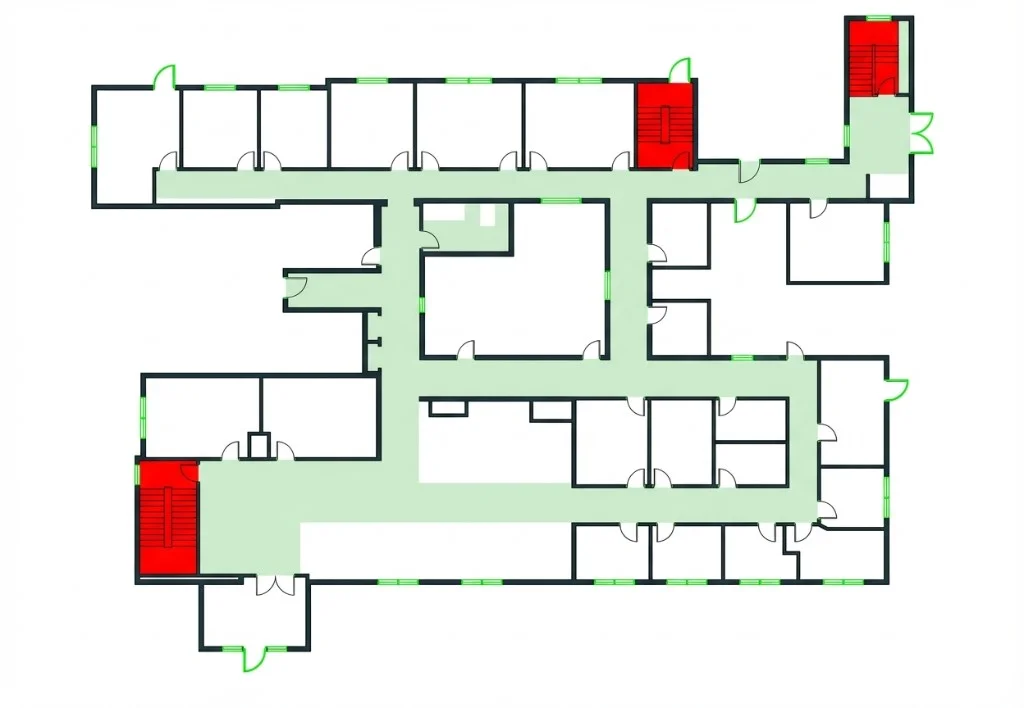
Fire Safety / Egress
Exits highlighted in green, stairwells in red, corridors marked. Built for building code compliance, fire marshal review, and emergency planning.
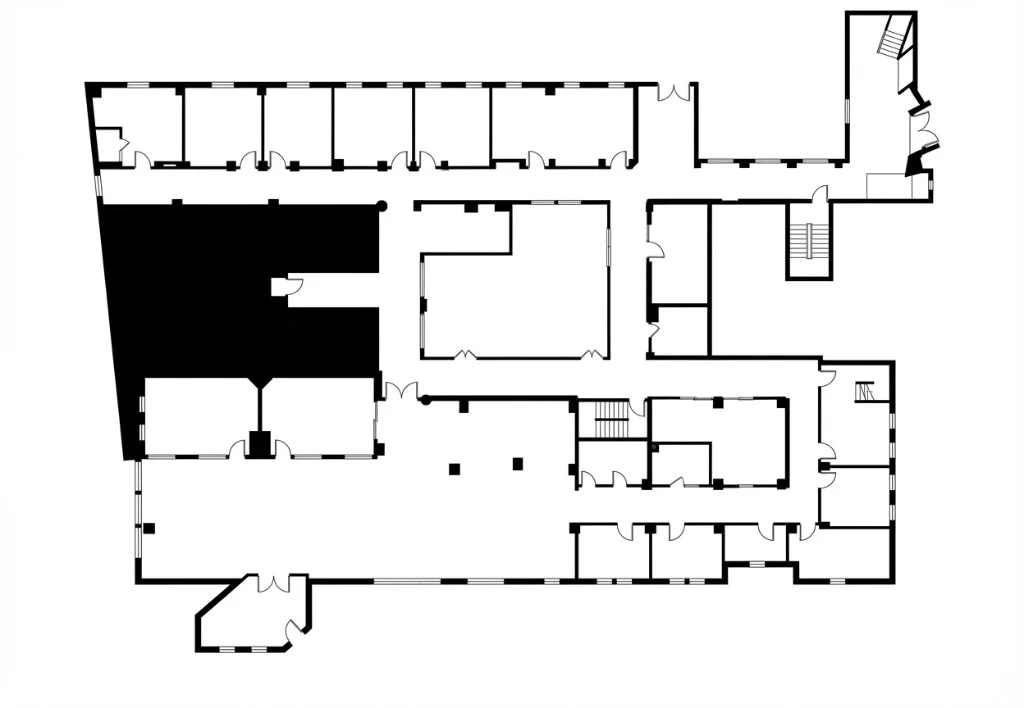
Measurement Ready
Ultra-clean black walls on white — designed for dimension annotations. Preferred by appraisers, assessors, and contractors doing takeoffs.
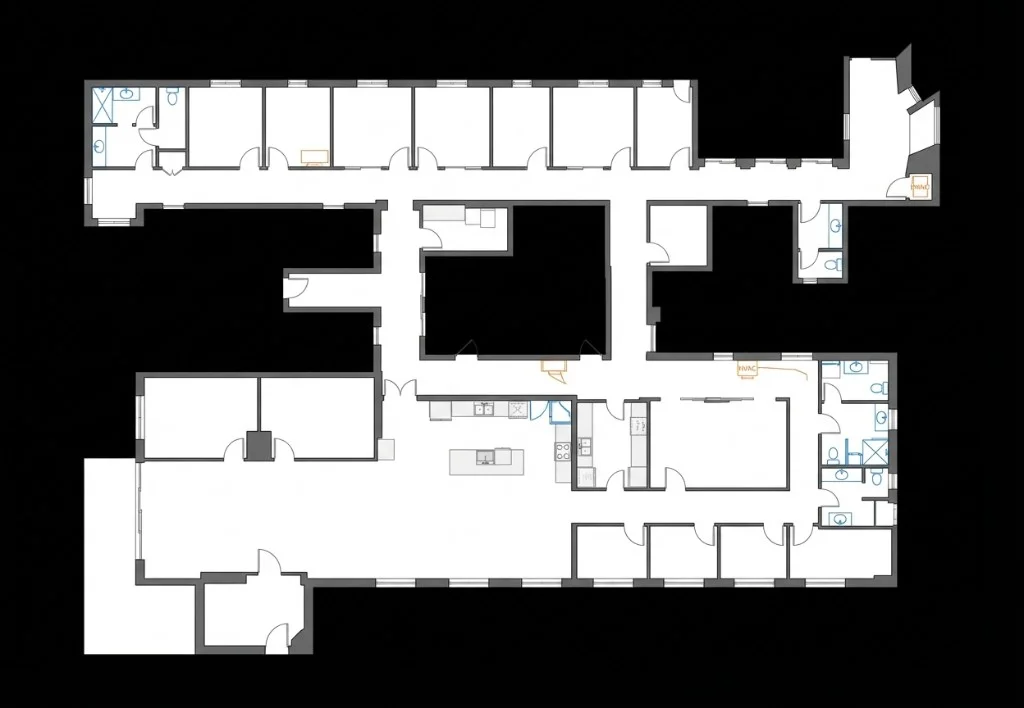
MEP / Utility Layout
Fixed fixtures like sinks, toilets, HVAC, and appliances preserved; movable furniture removed. Ideal for MEP engineers and renovation planning.
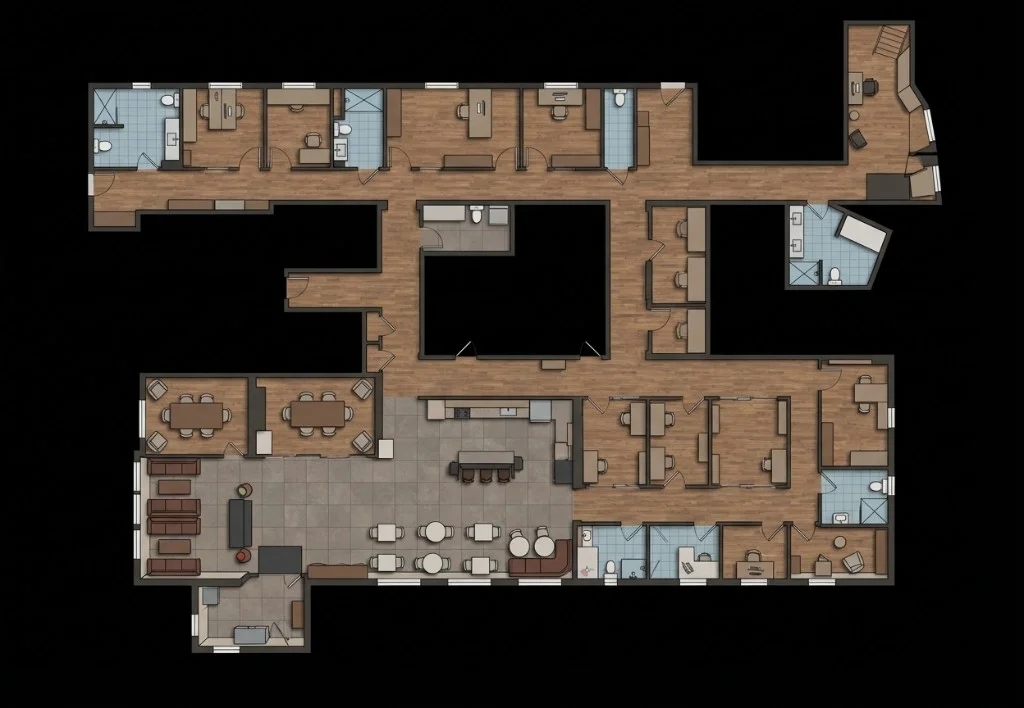
Interior Design Presentation
Stylized furniture with warm textured floors for a lifestyle feel. Great for renovation proposals, home staging, and client presentations.
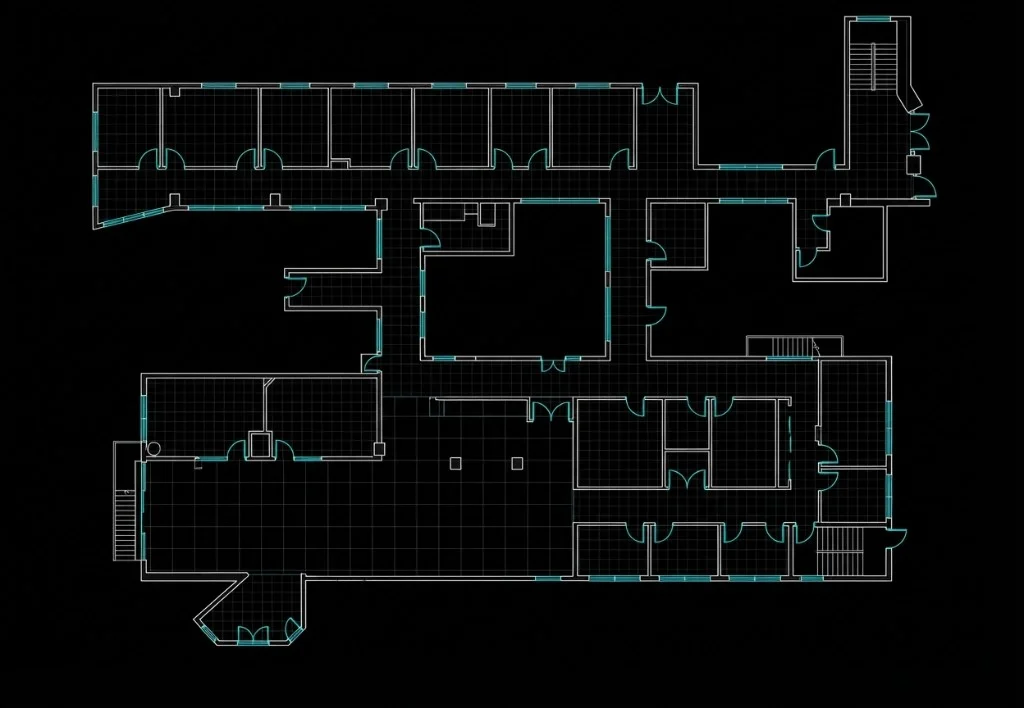
As-Built CAD
Technical CAD line drawing with black background and white/cyan lines. Standard for construction documentation and facility management.
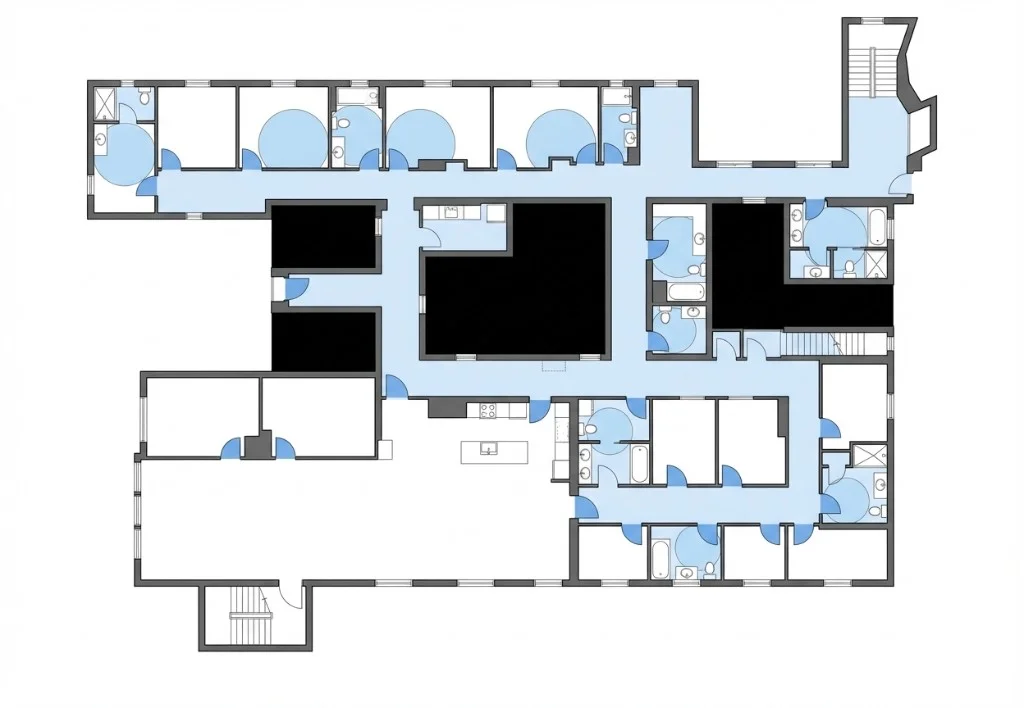
Accessibility / ADA Review
Doorway widths, circulation paths, and clearances highlighted in blue. Purpose-built for ADA compliance audits and accessibility assessments.
All 15 styles are included — no per-style charge.
Connect Your Floor Plan to the 3D World
Whether you generated it with AI or uploaded your own, the floor plan needs to know where it sits in 3D space. Our 3-point calibration system handles that in seconds.
Download as PNG
Export the AI-generated floor plan as a high-resolution PNG. Edit it in Photoshop, Illustrator, or any tool—then bring it back.
Upload Your Own Plans
Already have architectural drawings? Upload existing floor plans in PNG or JPEG format and integrate them into your project.
How Calibration Works
Open the Calibration tool in the floor plan editor
Walk to a recognizable spot in your 3D scan and select it
Click the same location on the 2D floor plan. Repeat for 3+ points.
Click Calibrate—scale, rotation, and position sync automatically
Your Floor Plan Becomes a Live Mini-Map
This is where it all comes together. Your generated, refined, and calibrated floor plan isn't just an image—it's now a live navigation layer inside the 3D viewer. As you walk through the Gaussian Splat, a real-time indicator on the mini-map shows exactly where you are and which direction you're facing.
Real-Time Position Tracking
See your exact location on the 2D floor plan as you navigate the 3D space. Never lose your bearings again.
Click-to-Navigate
Click any point on the mini-map to jump directly to that location in the 3D viewer. Explore spaces faster and more intuitively.
Spatial Orientation
Orient the map to match your physical space for seamless navigation, accurate space planning, and professional facility walkthroughs.
See It in Action: Denver REI Flagship
Watch the complete workflow—capturing 90,000 sq. ft. of active retail, generating AI floor plans, and navigating the result with the live mini-map.
Watch Full Field Test on YouTube
Frequently Asked Questions
01How accurate are the AI-generated floor plans?
Splat Labs provides high-fidelity visual maps optimized for navigation and orientation. We are developing a major update to introduce real-world measurements and CAD export (.DXF/.DWG)—moving the tool from visual reference to precision architectural planning.
02What file formats are supported for download and upload?
AI-generated floor plans are downloaded as PNG files. When uploading your own floor plans or re-uploading edited ones, Splat Labs supports both PNG and JPEG formats.
03Can the AI remove people and clutter from the floor plan?
Yes. Our AI editing tool lets you strip away non-structural clutter—inventory, shelving, temporary fixtures, and even foot-traffic ghosting—using simple text prompts. This reveals the clean architectural shell of a property.
04What hardware is required for the best results?
Splat Labs is hardware-agnostic, but it is optimized for the Portal Cam. By combining LiDAR data with a multi-camera array, the system captures the geometric density needed to resolve complex textures and fine structural details.
05How long does the data processing take?
All heavy processing is handled in the Splat Labs cloud—no high-end workstation required. As a general benchmark, a 30-minute walk-through typically processes in about 12 hours, delivering a high-resolution 3D environment and floor plan.
06Do the downloaded PNGs include scale metadata?
Not automatically. Scale and orientation are applied through the platform's 3-point calibration feature, which links your 2D floor plan to the 3D scan with precise alignment. We are exploring automatic scale embedding in a future update.
07How does the system handle large-scale or multi-story projects?
We use a Portal-based workflow to link separate scans. Large projects are divided into manageable sections—individual floors, interior/exterior sets—and stitched together for seamless navigation without performance degradation.