
There's a piece of software running quietly underneath almost every Gaussian Splat you've ever seen. It doesn't have a flashy interface. It doesn't market itself to creators. Most users of Gaussian Splatting tools have never typed its name — but without it, the entire ecosystem wouldn't exist.
That software is COLMAP. And version 4.0 just shipped with major performance and infrastructure improvements.
If you care about 3D capture quality — whether you're a real estate professional, a construction manager, a VFX artist, or just someone who loves making photorealistic 3D scenes — this update matters to you. Here's why.
What Is COLMAP?
COLMAP is a general-purpose Structure from Motion (SfM) library. It's open source, academically rigorous, and has become the de facto standard for 3D reconstruction from photographs.
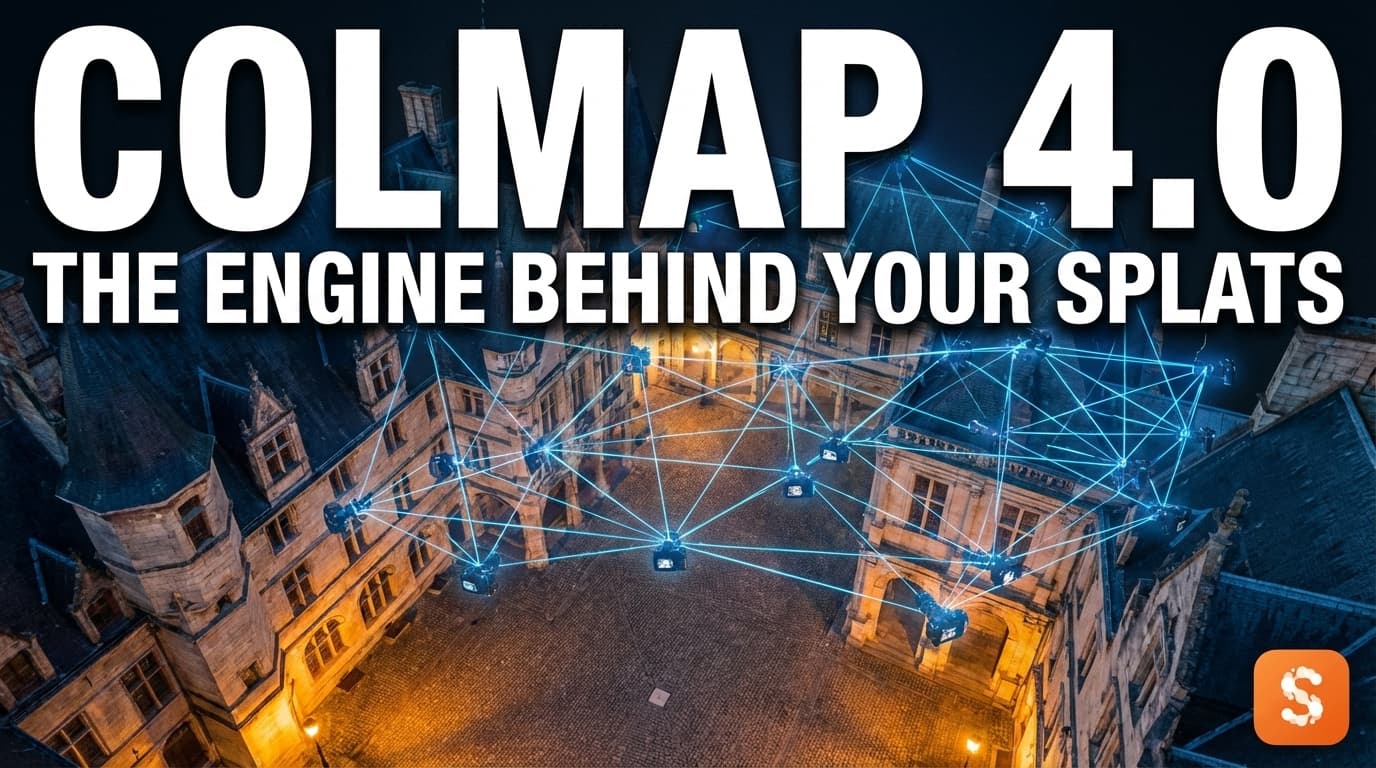
Structure from Motion is the process of taking a collection of overlapping 2D images — photos shot from different angles — and figuring out where each camera was in 3D space when it took the shot. From that, COLMAP constructs a sparse 3D point cloud: a rough skeleton of the scene's geometry.
That might sound underwhelming. But here's the thing: accurate camera positions are the prerequisite for everything else in 3D reconstruction. If COLMAP gets the poses wrong, your Gaussian Splat will look smeared, ghosted, or warped. If it gets them right, you have a solid foundation for a crisp, photorealistic result.
COLMAP was originally developed at ETH Zurich and the University of North Carolina, and it has been cited in thousands of academic papers. When researchers publish new Gaussian Splatting methods, they almost always benchmark against COLMAP-processed data. It is, in the truest sense, the bedrock of the field.
How COLMAP Fits Into the Gaussian Splatting Pipeline
To understand why COLMAP 4.0 matters, it helps to see exactly where it sits in a typical Gaussian Splatting workflow:
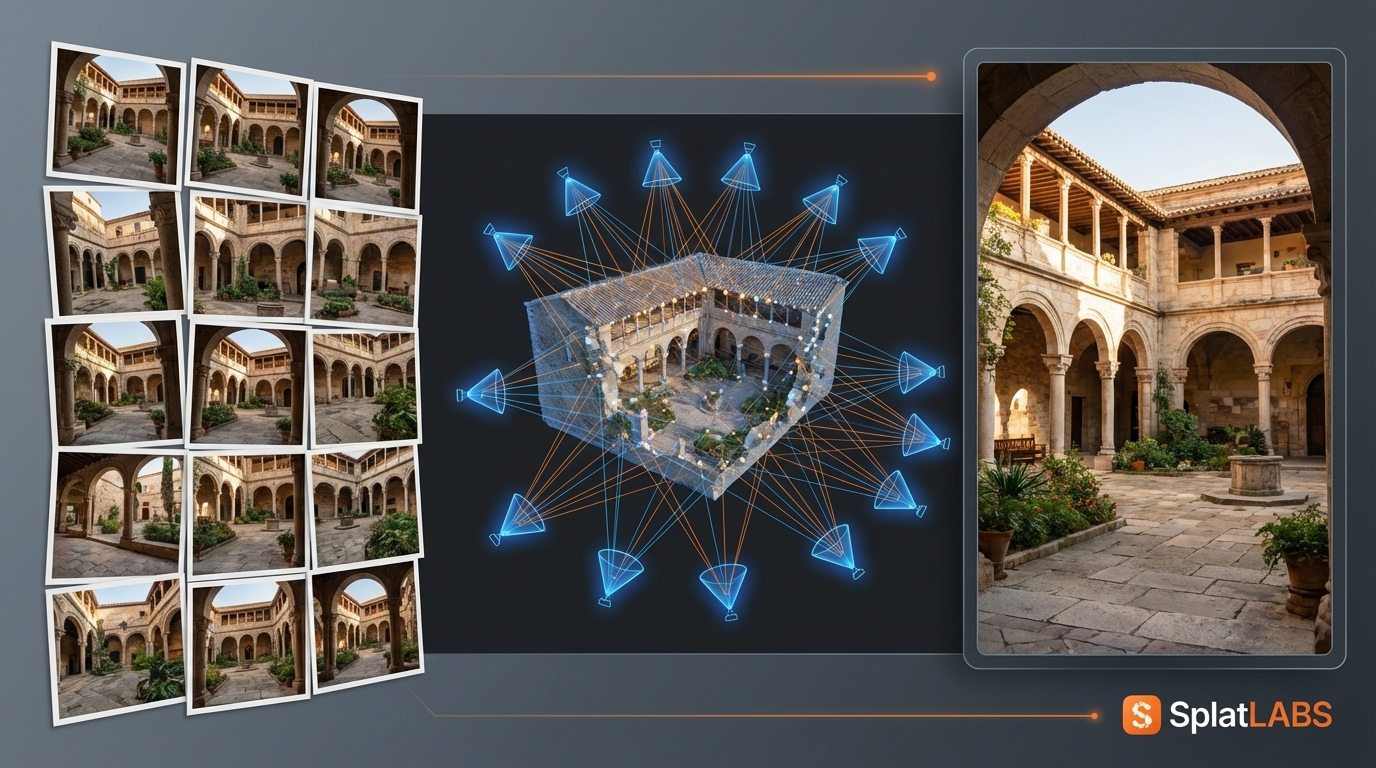
The pipeline looks like this:
- Capture — You photograph a space from many overlapping angles. This could be a handheld camera walk-through, a drone flight, or a professional capture device like the PortalCam.
- Feature Extraction — COLMAP identifies distinctive points in each image (corners, edges, textured surfaces) using algorithms like SIFT.
- Feature Matching — COLMAP finds which features appear in multiple images — "this corner in photo 12 is the same corner as in photo 17."
- Bundle Adjustment — COLMAP solves a large optimization problem: given all the matched features, what camera positions and orientations best explain the data? The output is a precise camera pose for every image, plus a sparse point cloud.
- Gaussian Splatting Training — Tools like Postshot, XGRIDS, or the original 3DGS implementation take COLMAP's output and train a Gaussian Splat model. The accuracy of this model depends directly on the quality of COLMAP's reconstruction.
- Upload & Share — The finished
.plyor.splatfile gets uploaded to a platform like Splat Labs Cloud, where it can be hosted, measured, annotated, and shared with anyone — no special software required.
COLMAP doesn't generate the final splat. But it provides the geometric foundation everything else is built on.
What's New in COLMAP 4.0
COLMAP 4.0 is a significant release focused on major performance improvements and infrastructure modernization — the kind of foundational work that accelerates everything downstream.
Faster Processing at Scale
Large capture datasets — think drone surveys of a building complex, or a full-property walk-through with hundreds of overlapping frames — have historically been where COLMAP felt the strain. Version 4.0 brings substantial performance improvements to the core pipeline, meaning faster feature matching and bundle adjustment for high-frame-count inputs.
For professionals capturing large sites, this translates directly to faster turnaround from raw footage to finished splat.
Infrastructure Modernization
Beyond raw speed, COLMAP 4.0 modernizes its internal architecture and build infrastructure. This makes it easier to integrate into automated pipelines, containerized cloud workflows, and the growing ecosystem of tools that depend on it. As COLMAP gets easier to deploy reliably, the tools that wrap it — including the cloud processing platforms your splats run through — benefit too.
A More Robust Foundation
Every major version bump in a foundational library signals sustained investment. COLMAP 4.0 is a signal to the Gaussian Splatting community: this tool is actively maintained, scaling to meet the demands of a maturing industry.
Why This Matters for Your 3D Captures
You may never interact with COLMAP directly. Many capture workflows run it silently in the background — or skip it entirely if your hardware provides camera poses directly (as the Lixel L2 Pro does via its onboard Multi-SLAM system).
But if you're creating splats from photo or video inputs — which covers most Gaussian Splatting workflows today — you're benefiting from COLMAP's reconstruction quality whether you know it or not. A faster, more accurate COLMAP means:
- Faster processing from capture to finished splat
- Better reconstruction quality on challenging scenes with limited overlap or difficult lighting
- More reliable results at scale — larger scenes, more frames, fewer failures
For anyone processing imagery through tools like Postshot or other SfM-based pipelines, a better COLMAP upstream means a better splat on the other end.
The Part COLMAP Doesn't Do: Hosting, Sharing, and Delivering
COLMAP handles the reconstruction. But reconstruction is only the beginning of the workflow.
Once you have a finished Gaussian Splat, you need somewhere to put it — somewhere that handles streaming, browser-based viewing, measurements, annotations, client delivery, and collaboration. That's where Splat Labs Cloud comes in.
Splat Labs accepts splats from any source: Postshot, XGRIDS, Kiri Engine, Luma AI, and any other tool that outputs .ply, .splat, .ksplat, or .xgrids files. Upload your finished reconstruction and you get:
- Instant browser-based viewing — share a link and anyone can explore it on any device, no app required
- Precision Measurements — take accurate distance and area measurements directly in the 3D scene
- 4D Timelines — link multiple captures of the same site over time to document changes
- AI Virtual Staging — transform empty spaces with text prompts, powered by Gemini AI
- Portals & Virtual Tours — stitch multiple scans into seamless walkthroughs
The better the COLMAP reconstruction that feeds your processing pipeline, the better the final splat you upload to Splat Labs. It's quality compounding at every step.
Getting Started
If you're just starting out with Gaussian Splatting, you don't need to configure COLMAP yourself. The tools you're already using handle it. But understanding what's happening under the hood helps you make better capture decisions: more overlap, consistent lighting, avoiding reflective surfaces — all of it feeds into COLMAP's ability to find reliable feature matches.
Better capture habits + a faster, more capable COLMAP 4.0 = higher-quality splats on your final deliverables.
Ready to see what a professional Gaussian Splat workflow looks like end-to-end? Start with a free Splat Labs account and upload your next capture.