
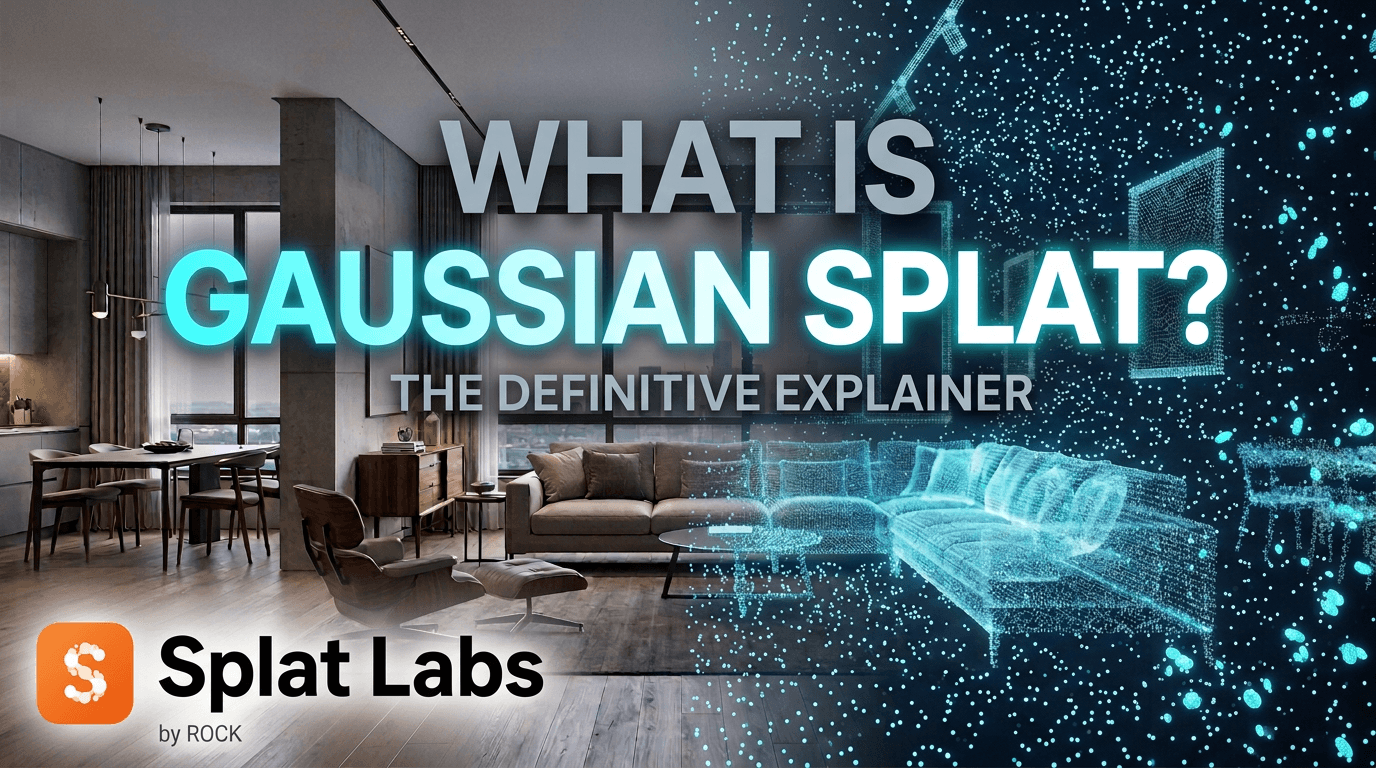
If you have seen a 3D scene online that looks almost like a real space you can walk through — but it is not a traditional point cloud, mesh, or 360 tour — there is a good chance you were looking at a Gaussian splat.
Gaussian splats are becoming one of the most important new formats in 3D visualization. They make real-world spaces look highly photorealistic while still feeling lightweight and interactive. That is a big deal for industries like real estate, construction, AEC, and game development, where people want a faster way to capture and present real spaces without forcing everyone into heavy software or technical workflows.
In this guide, we will explain what Gaussian splats are, how the technology works under the hood, how it compares to photogrammetry and point clouds, and why it matters for professionals who need to capture, share, and present real-world environments.
What Is a Gaussian Splat?
To understand what a Gaussian splat is, it helps to first understand what it is not.
Traditional 3D graphics — game engines, photogrammetry, CAD models — are built from polygons. Triangles and quads stitched together into surfaces, with textures painted on top. Everything in that world is ultimately a mesh: a network of flat faces approximating the shape of a real object.
Gaussian splats work completely differently.
Instead of building surfaces, a Gaussian splat represents the world as millions of tiny soft 3D primitives — each one a small, fuzzy ellipsoid that holds a position in space, a size and orientation, a level of opacity, and color information.
Think of it like this:
A Gaussian splat is a tiny soft 3D brushstroke. When you place millions of them together in exactly the right positions, they can recreate a room, building, street, or job site in a way that looks surprisingly lifelike.
Watch how a scene builds from nothing — each individual splat placed and refined until the whole environment converges:
Millions of soft 3D primitives progressively placed and refined until a complete, navigable environment emerges.
This is the core idea. There are no polygons, no surfaces, no texture maps. Just an enormous cloud of soft visual elements that together create the appearance of a real space.
From Polygons to Brushstrokes
For decades, every major approach to 3D reconstruction has relied on polygons. Photogrammetry software takes hundreds of overlapping photos, triangulates geometry, and outputs a mesh — a polygon surface draped with texture. LiDAR scans are converted into meshes. Game environments are hand-modeled as meshes.
Meshes are useful and well-understood. But they carry some fundamental limitations:
- A flat surface — a painted wall, a glass window, a road — needs many triangles to look flat and seamless. If the mesh is sparse, you see the facets.
- Sharp edges and fine structures — wires, railings, scaffolding, thin branches — are notoriously difficult to reconstruct cleanly because they require very high polygon density.
- Transparent materials — glass, water, fine mesh — are not naturally supported. Polygons are opaque by default.
- Reflections — a mesh surface has a single color per point. It cannot natively capture how a reflection changes as you move around it.
Gaussian splats sidestep all of this. Because each splat is an independent soft element — not connected to a surface — they can represent fine detail, edges, and complex optical properties that meshes struggle with.
Left: a polygon-based scene — flat faces and textures approximating real geometry. Right: the same world represented as Gaussian splat brushstrokes — organic, continuous, and photorealistic all the way down to individual leaves and branches.
The shift from polygons to splats is not just a visual upgrade. It is a different philosophy of how to represent the real world in 3D.
What Makes Gaussian Splats Look So Real
This is where things get genuinely interesting. The qualities that make Gaussian splats feel different are not just about resolution or file size. They come from what the format can actually represent that polygons cannot.
Fine Detail: Leaves, Plants, and Organic Complexity
In photogrammetry, fine organic detail — leaves, plants, grass, soft furnishings — is a known weakness. The reconstruction algorithm needs to find matching points across multiple photos, and thin structures simply do not produce enough matches. The result is often blobby, smeared, or missing entirely.
Gaussian splats handle this naturally. Each brushstroke is placed independently based on appearance, not on whether the software could find a matching geometric feature. A leaf is just a collection of semi-transparent splats. A plant is hundreds of them layered together.
A greenhouse captured as a Gaussian splat — individual plants, leaves, and foliage rendered with the kind of organic detail that photogrammetry consistently struggles to reproduce.
Fine Structures: Wood, Metal, and Geometric Complexity
Right angles, thin members, complex geometry — these are all challenging for polygon-based reconstruction. A photogrammetry mesh of a wooden structure often looks like the geometry melted slightly: edges round off, thin pieces merge together, and the texture tries to compensate for what the geometry missed.
Splats represent these structures directly as appearance, not as geometry. A plank of wood is not a face with a texture — it is a cluster of splats that together look exactly like a plank of wood, edge and all.
A handmade wooden roller coaster captured as a Gaussian splat — every individual plank, joint, and structural member rendered with crisp fidelity. This level of fine-structure detail is extremely difficult to achieve with photogrammetry.
Transparency: Seeing Through Glass
Polygon meshes are fundamentally opaque. You can fake glass in a game engine by making a surface semi-transparent, but in a photogrammetric reconstruction, glass simply reflects the environment back at the camera — so the software either ignores it or reconstructs it as a solid surface.
Gaussian splats can capture transparency naturally. Each splat has an opacity value. A glass window is a group of splats with low opacity — you can see through them to the splats behind.
Looking through the windows of a cafe — the plants and interior are visible through the glass, and as the viewpoint moves, the parallax of the world behind the window shifts naturally. This is not faked. It is a direct consequence of how splats represent opacity.
View-Dependent Reflections: Spherical Harmonics
Here is perhaps the most technically interesting property of Gaussian splats, explained as simply as possible.
In a polygon mesh, every surface point has a fixed color. If you painted the wall blue, it is blue from every angle, under every lighting condition. Reflections have to be added as a separate layer — a reflection map or a screen-space effect.
Each Gaussian splat stores something more sophisticated: view-dependent color. Technically this is called spherical harmonics — a mathematical representation of how the apparent color and brightness of a point changes depending on the direction you are viewing it from.
What this means in practice: reflections are natively captured. A TV screen that reflects the street outside will actually look like it reflects the street outside — and as you move, the reflection moves with you, exactly the way it would in real life.
An array of TV screens on a cafe wall capturing the reflection of the street outside. Moving back and forth shows how the reflection shifts naturally with the viewing angle — spherical harmonics at work.
Transparency and Reflections Together
Both effects can coexist in the same scene simultaneously. Looking at a window from the outside, you can see through it to the plants and interior — transparency — while also seeing the road paint stripes from the street reflected back in the glass surface — view-dependent reflection.
Standing on the street outside the cafe — through the windows you can simultaneously see the plants inside (transparency) and the road paint stripes from the pavement reflected on the glass surface (view-dependent reflection). Both captured in a single pass.
This combination — transparency and view-dependent appearance in the same scene — is something polygon-based reconstructions simply cannot produce without extensive manual post-processing.
How Gaussian Splats Are Trained
So how do you get from a set of photos or a video walk-through to millions of precisely positioned splats?
The process is driven by AI — specifically a form of differentiable optimization called gradient descent. It works like this:
- Start with a rough estimate of camera positions (from the photos)
- Initialize a large cloud of random splats in 3D space
- Render what those splats would look like from each captured camera angle
- Compare those renderings to the actual photos
- Adjust each splat — its position, size, orientation, opacity, and color — to reduce the difference
- Repeat millions of times until the renderings match the photos closely
The result is a model that has learned, purely from images, exactly where to place each brushstroke to recreate the appearance of the scene from any angle.
The training process in action — starting from a blurry, incoherent initialization, the model rapidly converges as millions of splats are iteratively repositioned and refined until the scene snaps into focus.
This approach was formalized in a landmark 2023 research paper — "3D Gaussian Splatting for Real-Time Radiance Field Rendering" — and it has since become the foundation of a rapidly growing ecosystem of capture tools, reconstruction software, and platforms like Splat Labs.
For a walkthrough of how to actually create a Gaussian splat, see how to create 3D Gaussian splats.
What Is Gaussian Splatting?
At this point, the definition should feel intuitive.
Gaussian splatting is the complete process: capturing a real space with photos or video, running the AI training process to reconstruct it as millions of soft 3D primitives, and then rendering those primitives interactively at real-time speed.
The full workflow looks like this:
- Capture a real space with photos, video, or a spatial camera like the PortalCam
- Process the imagery through a Gaussian splatting reconstruction pipeline
- Upload the result to a cloud platform like Splat Labs
- Share it with clients, stakeholders, or team members via browser link
This creates a path from real-world capture to immersive visual presentation much faster than many older 3D workflows — and with photorealistic quality that polygons struggle to match.
Gaussian Splats vs Photogrammetry Meshes
With the technology now understood, the comparison to photogrammetry becomes much more concrete.
Photogrammetry produces a polygon mesh with a texture. The mesh is a geometric approximation of the surfaces in the scene. The texture covers for the limitations of that approximation. It works well for many applications, especially where a traditional 3D asset is needed for CAD, BIM, or game engine workflows.
But having watched the videos above, you have already seen the specific limitations this creates:
- Flat surfaces look faceted or soft at the edges
- Fine structures like wires and railings tend to vanish or merge
- Organic detail like leaves and grass gets smoothed or lost
- Glass and transparency cannot be reconstructed — windows become opaque blobs
- Reflections are baked in as fixed texture — they do not move as you navigate
Gaussian splats do not try to build a surface at all. They represent appearance directly, which is why all of those problems largely disappear.
When meshes are still better: If you need a traditional geometric asset — something you can import into Revit, measure in CAD, or use as a collision mesh in a game engine — a photogrammetry mesh is often the right choice. Splats are not a polygon model. They are a visual representation.
For many teams, the right answer is both: use a mesh for engineering work, use a splat for communication and presentation.
Gaussian Splats vs Point Clouds
This is the most important distinction for AEC, surveying, and construction teams.
A point cloud is primarily about measured geometry. It is a dataset of 3D points — often from LiDAR — that captures precise spatial positions. It supports survey, modeling, analysis, BIM integration, and engineering workflows. Accuracy is the point.
A Gaussian splat is primarily about visual presentation. It captures what a space looks like from any angle, not just where the surfaces are.
They are not competing formats. They are often complementary:
- A surveyor relies on a point cloud for engineering and dimensional accuracy
- A project manager uses a Gaussian splat to communicate site conditions to stakeholders
- A real estate team uses a Gaussian splat to present a property to remote buyers
- A construction team uses a Gaussian splat to document progress in a way non-technical clients can actually understand
When paired with the right platform, Gaussian splats can also support measurement workflows. In Splat Labs, you can take distance and area measurements directly inside the 3D scene:
Precision measurements taken directly inside a Gaussian splat viewer in Splat Labs.
So the better question is often not "Which one wins?" — it is "Which one is the right deliverable for this audience?"
Gaussian Splats vs Matterport-Style Virtual Tours
Many people encountering Gaussian splats for the first time are really asking a more familiar question:
How is this different from a Matterport tour?
The answer lies in how navigation works. Matterport-style tours place the camera at a series of fixed scan positions and let you jump between them. You teleport from point to point. The underlying data is a stitched panorama, not a true 3D scene.
Gaussian splats are a continuous 3D environment. You can move freely, at any angle, in any direction — not because of a series of fixed positions, but because the splats genuinely reconstruct the scene in three dimensions. Navigation feels more like moving through a real space.
Fluid, continuous navigation through a Gaussian splat — not jumping between fixed positions, but moving freely through a fully reconstructed 3D environment.
The difference is not just aesthetic. It changes what the viewer can understand about a space — layouts, proportions, depth, and spatial relationships all read more naturally in continuous 3D than in a teleport-based tour.
For a comparison of Splat Labs to other platforms, see Splat Labs vs SuperSplat.
Why Gaussian Splats Matter for Real Estate
Real estate is one of the clearest applications for Gaussian splats.
A listing is ultimately about helping someone understand space, quality, atmosphere, and layout. Photos help, but they are limited. Floor plans help, but they are abstract. Traditional tours help, but they can feel rigid.
Gaussian splats create a more immersive middle ground. They let buyers, tenants, investors, and remote decision-makers experience a space in a way that feels closer to being there.
That opens up powerful use cases:
- Luxury residential walkthroughs — let buyers explore from anywhere in the world
- Multifamily leasing — showcase units without scheduling in-person tours
- Commercial property marketing — present spaces to tenants before buildout
- Remote site tours — give investors a real sense of the property
- Virtual staging — AI-powered redesign concepts overlaid on the real space
- Pre-market presentations — share spaces before they are fully ready
AI-powered virtual staging inside a Gaussian splat — redesign any space with a text prompt while preserving the real 3D structure.
For real estate teams, this is not just about novelty. It is about creating a more compelling way to present the asset. See how teams are using AI scene redesign to declutter and restage retail spaces and transform office environments.
Why Gaussian Splats Matter for Construction and AEC
Construction and AEC teams often need a better way to communicate site conditions to people who are not physically there — owners, architects, engineers, project managers, consultants, subcontractors, and clients.
Gaussian splats turn a captured site into an immersive 3D record that is far easier to understand than a folder full of photos.
This can be useful for:
- Progress documentation — capture and compare site conditions over time
- Existing conditions capture — record the as-built state before work begins
- Remote stakeholder review — let anyone walk through the site from their browser
- Issue communication — show exactly where a problem is in full 3D context
- Attaching notes, PDFs, and media — pin RFIs, punch-list items, and documents to exact locations in the scene
- Digital-twin presentation — a more intuitive way to present the built environment
A construction site captured as a Gaussian splat for remote stakeholder review and progress documentation.
With 4D timelines in Splat Labs, teams can compare scans taken at different points in time to track progress visually:
4D timeline comparison — slide between scans taken at different dates to track construction progress.
For AEC teams, the value is not just that it looks good. It is that it improves communication. Teams using Autodesk Construction Cloud, Revit, or ArcGIS can integrate Gaussian splats directly into their existing workflows.
Why Gaussian Splats Matter for Game Development and Virtual Production
Game teams, VFX studios, and virtual production groups can benefit from Gaussian splats because they allow fast capture and review of real spaces.
That can be useful for:
- Environment reference — capture a real location and bring it into the creative pipeline
- Location capture and digital scouting — explore a venue remotely before committing to a shoot
- Previsualization — quickly build spatial context for a scene
- Collaborative review — share an environment with the creative team in-browser
- VFX pre-visualization — place digital elements in real-world 3D context
Not every splat becomes a production-ready game asset, but splats can be extremely valuable for understanding environments, communicating art direction, and building digital-world context faster.
AI object insertion into a Gaussian splat of Shibuya Crossing, Tokyo — a 300-foot creature placed at real-world scale from any camera position in the scan. Location scouts, DPs, and VFX supervisors can plan shots before anyone sets foot on set.
For a deeper look, see AI VFX pre-visualization and 3D location scouting.
What Do You Actually Do With a Gaussian Splat After It Is Created?
This is the question a lot of content fails to answer.
Creating a Gaussian splat is only part of the workflow. Once you have one, you still need to answer practical questions like:
- How do I view it easily?
- How do I share it with a client or stakeholder?
- How do I embed it on a website?
- How do I add measurements or annotations?
- How do I attach PDFs, photos, or videos to specific parts of the scene?
- How do I create a guided experience for non-technical viewers?
- How do I generate a floor plan from the 3D scan?
That is where a platform layer becomes important — and where Splat Labs fits in.
How Splat Labs Makes Gaussian Splats Useful in Real Workflows
Splat Labs is built to help professionals turn raw Gaussian splats into usable deliverables. Instead of stopping at "we created a splat," Splat Labs helps you do something with it.
Upload and host in the cloud
Upload PLY, SPLAT, or KSPLAT files and share them instantly. No file-size negotiations, no emailing massive files, no software installs for your viewers.
Share by link or embed on any website
Every project gets a shareable viewer URL. Wrap it in an iframe and embed it on your website, MLS listing, or project portal.
Add measurements
Take distance and area measurements directly inside the 3D scene — useful for estimating, planning, and communicating spatial information to stakeholders.
Annotate with documents, images, and video
Pin annotations with PDFs, photos, videos, and notes to exact locations in the scene. Attach RFIs, inspection reports, punch-list items, or marketing materials right where they belong.
Build guided virtual tours
Create guided walkthroughs with auto-camera paths, annotations, and a filmstrip navigator so non-technical viewers get a curated experience.
A guided tour built in Splat Labs — waypoints, annotations, and a filmstrip navigator guide viewers through the space.
Generate AI floor plans
Turn any 3D scan into an automatic floor plan with one click — complete with labels, themes, and a mini-map overlay.
AI-generated floor plans from a Gaussian splat — one-click generation with customizable themes and labels.
Connect multiple scans with portals
Link indoor and outdoor scans, or connect different floors and buildings into a single navigable experience using seamless portals.
Seamless portals connecting multiple Gaussian splat scans into one continuous navigable experience.
Works on any device
View and interact with Gaussian splats on desktop, tablet, or mobile — no app install required.
Gaussian splats running smoothly on mobile — no app install, just a browser link.
The real business value is not just in reconstruction. It is in communication, collaboration, and delivery. Splat Labs helps bridge the gap between capturing a Gaussian splat and actually using it in the real world.
Who Should Use Gaussian Splats?
Gaussian splats are especially valuable for people who need to communicate real spaces clearly. That includes:
- Real estate agents and brokers — more immersive listings and virtual tours
- Developers and property marketers — pre-market and pre-construction presentations
- Architects — existing conditions documentation and design communication
- Construction teams — progress tracking, RFI context, and remote review
- Project managers — clearer stakeholder updates with full 3D context
- Survey and mapping professionals — visual complements to point cloud deliverables
- Facilities teams — spatial documentation and maintenance planning
- Game developers — real-world environment capture and reference
- VFX and virtual production teams — location scouting and previsualization
- Digital-twin and spatial-computing teams — immersive, web-accessible 3D experiences
If your work depends on helping other people understand a real space remotely, Gaussian splats are worth paying attention to.
Frequently Asked Questions
Are Gaussian splats the same as point clouds?
No. Point clouds are primarily geometric measurement datasets used in survey and engineering workflows. Gaussian splats are primarily visual, immersive scene representations designed for photorealistic presentation and communication.
Are Gaussian splats the same as photogrammetry?
No. Photogrammetry produces a polygon mesh with textures. Gaussian splatting produces a cloud of soft 3D primitives. Both start from photographs, but they represent the result in completely different ways — and Gaussian splats handle fine detail, transparency, and reflections that polygon meshes cannot.
Are Gaussian splats useful for measurements?
Yes. When paired with a platform like Splat Labs, you can take distance and area measurements directly inside the 3D scene. However, Gaussian splats are not the same thing as a survey-grade point cloud deliverable.
What are spherical harmonics in Gaussian splats?
Spherical harmonics are the mathematical technique that allows each Gaussian splat to change its apparent color and brightness depending on the viewing angle. In plain terms: this is how Gaussian splats capture reflections and view-dependent lighting effects that look flat in polygon-based reconstructions.
Can Gaussian splats be viewed on phones?
Yes. Gaussian splat experiences can be viewed on phones, tablets, and desktop browsers. With Splat Labs, there is nothing to install — just open a link.
Can I embed a Gaussian splat on my website?
Yes. Splat Labs makes it simple to embed a Gaussian splat viewer on any website with a single iframe embed code.
What file formats are commonly used?
The most common Gaussian splat file formats are PLY, SPLAT, and KSPLAT. Splat Labs supports all three.
Do I need special hardware to capture Gaussian splats?
Not always. Many teams capture splats using standard photos or video from a phone or drone. Dedicated spatial cameras like the PortalCam or survey-grade devices like the Lixel L2 Pro can produce higher quality results, but they are not required to get started.
How is Gaussian splatting different from NeRF?
Both Neural Radiance Fields (NeRF) and Gaussian splatting create photorealistic 3D scenes from images, and both use AI-based training. The key difference is rendering speed: Gaussian splatting renders in real time using a fast GPU rasterizer, making it far more practical for interactive viewing and commercial applications. NeRFs typically require neural network inference to render each frame, which is much slower.
Get Started
Gaussian splats matter because they make real spaces easier to capture, easier to understand, and easier to present.
For professionals in real estate, construction, AEC, and 3D media, that creates a powerful new way to communicate spaces that is more immersive than photos, more accessible than point clouds, and more photorealistic than traditional polygon meshes.
But the technology alone is not the full story. The real value comes when a Gaussian splat can be hosted, shared, annotated, measured, and presented in a way that works for real people and real workflows.
That is where Splat Labs fits in.
Explore live demos
See Gaussian splats in action with these interactive datasets:
- Real Estate Home — walk through a residential property
- Red Rocks Amphitheatre — explore an iconic outdoor venue
- Construction Progress — compare 4D timelines on a job site
- Saltbox Denver — tour a modern coworking space
- REI Denver Flagship — see AI scene redesign in a 90,000 sq ft retail store
Related reading
- Gaussian Splats Explained: The Future of 3D Visualization — a deeper technical companion to this guide
- How to Create 3D Gaussian Splats — step-by-step creation workflow
- How to Embed a 3D Gaussian Splat Viewer on Your Website — iframe embed tutorial
- How to Attach Documents, Videos & Annotations — annotation features guide
- AI 3D Decluttering: Remove Objects From Gaussian Splats — AI-powered scene editing
- Construction Site Documentation Case Study — AEC workflow in practice